















UK’s Only 5-Star Rated Hydration Supplier
6,000+ Trustpilot reviews and nationwide support.
Get started











Need Help Choosing The Right System?
Get expert advice, tailored recommendations and a fast no-obligation quote.
Get started
Need Help Choosing The Right System?
Get expert advice, tailored recommendations and a fast no-obligation quote.
Get started
Customer Portal
Help & Guides
Everything you need to get the most out of your Customer Portal. Log in to manage your orders, invoices and payments - or follow our step-by-step guides below.

Help Guides
Getting Started with the Customer Portal
How to Place an Order
A step-by-step guide to ordering products through the Customer Portal.
- 1 Navigate to your account and select a delivery site
- 2 Browse products and add to basket
- 3 Review your order and add delivery instructions
- 4 Place your order - it's that simple
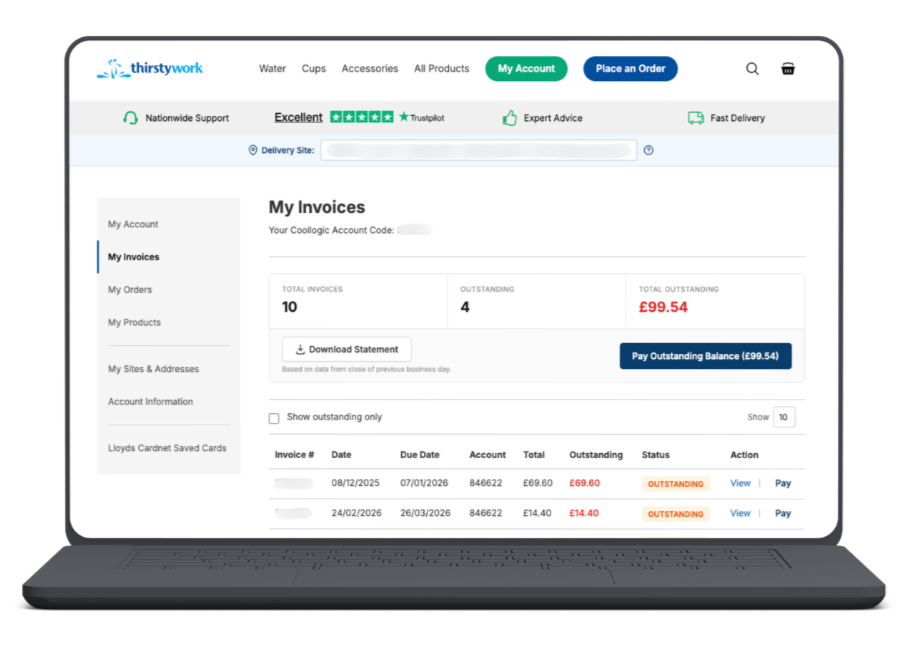
How to Pay an Invoice
A quick guide to locating and paying outstanding invoices on the portal.
- 1 Go to 'My Invoices' in the portal
- 2 Pay all at once or select a specific invoice
- 3 Enter your card details and confirm payment

Head Office
Thirsty Work Ltd25-26 Apple Lane
Exeter
Devon
EX2 5GL
Call us
We’re just a phone call away!
01392 877 172Email us
Or you can always send us an email!
hello@thirstywork.com© Copyright 2016 - 2026 Thirsty Work. All Rights Reserved. | Registered number 7125158 | VAT 155 128421 | Terms & Conditions and Policies